Room Listing
Room Listing
Advanced room display system with highly configurable shortcodes, multiple layouts, lazy loading for optimal performance, and full integration with Availability Manager to show real-time availability status.
Overview
HRM Room Listing extends Room Manager functionality by providing powerful and flexible shortcodes to display rooms on any page or widget of your site. While Room Manager automatically generates a standard archive page, Room Listing allows you to create custom displays anywhere on the site.
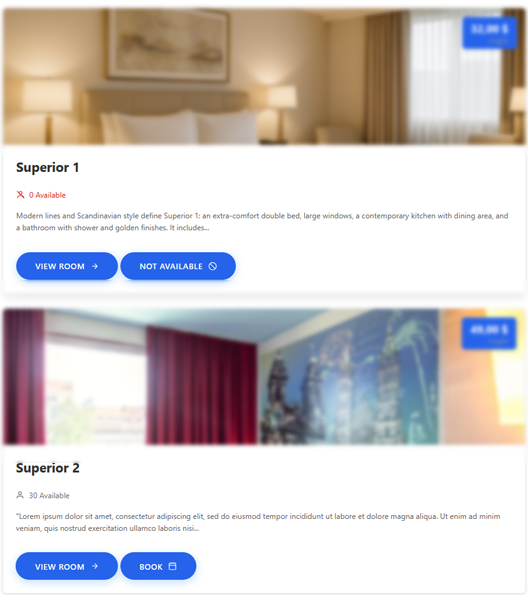
Main Shortcode
This is the main shortcode to display a room list. Without parameters, it shows all published rooms in a 3-column grid.
Available Parameters
| Parameter | Default | Values | Description |
|---|---|---|---|
layout |
grid | grid, list, card, minimal | Display layout |
columns |
3 | 1, 2, 3, 4 | Number of columns (grid layout only) |
limit |
-1 | Numero o -1 | How many rooms to show (-1 = all) |
order |
DESC | ASC, DESC | Sort direction |
show_price |
true | true, false | Show price |
show_capacity |
true | true, false | Show guest capacity |
show_button |
true | true, false | Show "Discover" button |
show_availability |
false | true, false | Show availability indicator |
lazy_load |
true | true, false | Lazy loading images |
ids |
empty | Comma-separated ID list | Show only specific rooms |
exclude |
empty | Comma-separated ID list | Exclude specific rooms |
category |
empty | Category slug | Filter by category |
button_text |
"Scopri di più" | Text | Button text |
Available Layouts
Grid Layout
Card display arranged in a grid. Ideal for dedicated room pages.
[hrmrm_room_listing layout="grid" columns="3"]Features:
- Featured image with 16:9 aspect ratio
- Room title below the image
- "Starting from" price
- Capacity icons (people)
- Action button
- Responsive: 3 columns → 2 columns (tablet) → 1 column (mobile)
List Layout
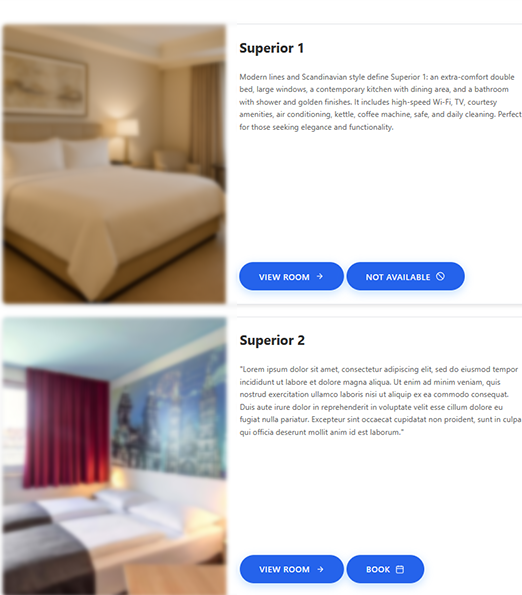
Horizontal display with image on the left and details on the right.
[hrmrm_room_listing layout="list"]Features:
- Square image on the left (about 30% width)
- Title, excerpt description and details on the right
- More space for descriptive text
- Ideal for detailed listings
Card Layout
Card with hover effect and information overlay.
[hrmrm_room_listing layout="card" columns="4"]Features:
- Full-bleed image
- Information appears on mouse hover
- Image zoom effect on hover
- Modern and minimal design
Minimal Layout
Essential display, title and image only.
[hrmrm_room_listing layout="minimal" columns="4"]Features:
- No visible price or details
- Image and room name only
- Ideal for sidebar widgets or footer
Practical Examples
Homepage: Latest 3 rooms added
[hrmrm_room_listing layout="grid" columns="3" limit="3" orderby="date" order="DESC"]Shows the 3 most recent rooms in a grid, ideal for the homepage.
"Our Rooms" Page: All sorted by price
[hrmrm_room_listing layout="list" orderby="price" order="ASC"]Complete list sorted from lowest to highest price.
Sidebar: 4 random rooms
[hrmrm_room_listing layout="minimal" columns="1" limit="4" orderby="random"]Sidebar widget with 4 random rooms that change on each page load.
Suite Landing Page: Specific category only
[hrmrm_room_listing layout="card" columns="2" category="suite" show_availability="true"]Shows only rooms in the "suite" category with availability indicator.
Manual Selection: Specific rooms
[hrmrm_room_listing ids="12,15,23,31" layout="grid" columns="4"]Shows exactly the rooms with IDs 12, 15, 23, and 31, in the specified order.
Exclusion: All except some
[hrmrm_room_listing exclude="5,8" limit="6"]Shows up to 6 rooms excluding those with IDs 5 and 8.
Minimal without prices
[hrmrm_room_listing show_price="false" show_capacity="false" button_text="Vedi Dettagli"]Clean grid without price information, with custom button.
Integration with Other Plugins
With Availability Manager
When Availability Manager is active, you can show availability status:
[hrmrm_room_listing show_availability="true"]Each card will show a green "Available" or red "Unavailable" badge based on today's status.
With Booking Manager
When Booking Manager is active, the button can link directly to the booking form:
[hrmrm_room_listing button_text="Prenota Ora" button_link="booking"]Clicking the button takes you to the booking page with the room preselected.
Customization CSS
The plugin generates markup with well-defined CSS classes for advanced customizations:
/* Main container */
.hrm-room-listing { }

/* Grid */
.hrm-room-grid { }
.hrm-room-grid.columns-2 { }
.hrm-room-grid.columns-3 { }
.hrm-room-grid.columns-4 { }

/* Single card */
.hrm-room-card { }
.hrm-room-card:hover { }

/* Card elements */
.hrm-room-image { }
.hrm-room-image img { }
.hrm-room-content { }
.hrm-room-title { }
.hrm-room-price { }
.hrm-room-capacity { }
.hrm-room-button { }

/* Availability badge */
.hrm-availability-badge { }
.hrm-availability-badge.available { }
.hrm-availability-badge.unavailable { }

/* List layout */
.hrm-room-list-layout { }
.hrm-room-list-item { }
WordPress Menu Position
| Menu Item | Function |
|---|---|
| Camere → Room Listing | Plugin settings |
The plugin doesn't add many menu items because its main use is through shortcodes in pages.